
Are you using the New Outlook for Windows or Outlook Web? Do you use the My Day side pane? If so, did you know that you can choose which calendars are displayed there? I was unaware till I stumbled across it today. Here’s how you choose.
First display the My Day pane using the My Day button

With the My Day pane showing choose Calendar then select the … More actions button and choose Show all at the bottom of the list of calendars.

You can now choose to include your Tasks to display To Do items and include additional calendars including shared calendars. When you have multiple accounts connected in New Outlook (Windows) you can choose calendars from all accounts.
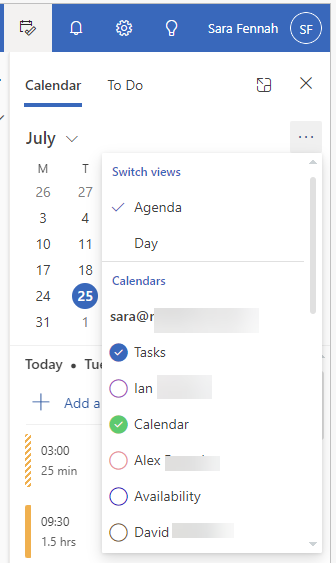
Once you have selected your calendars, simply click away to close the menu and the additional items will be displayed.
 Sara Fennah's Blog