
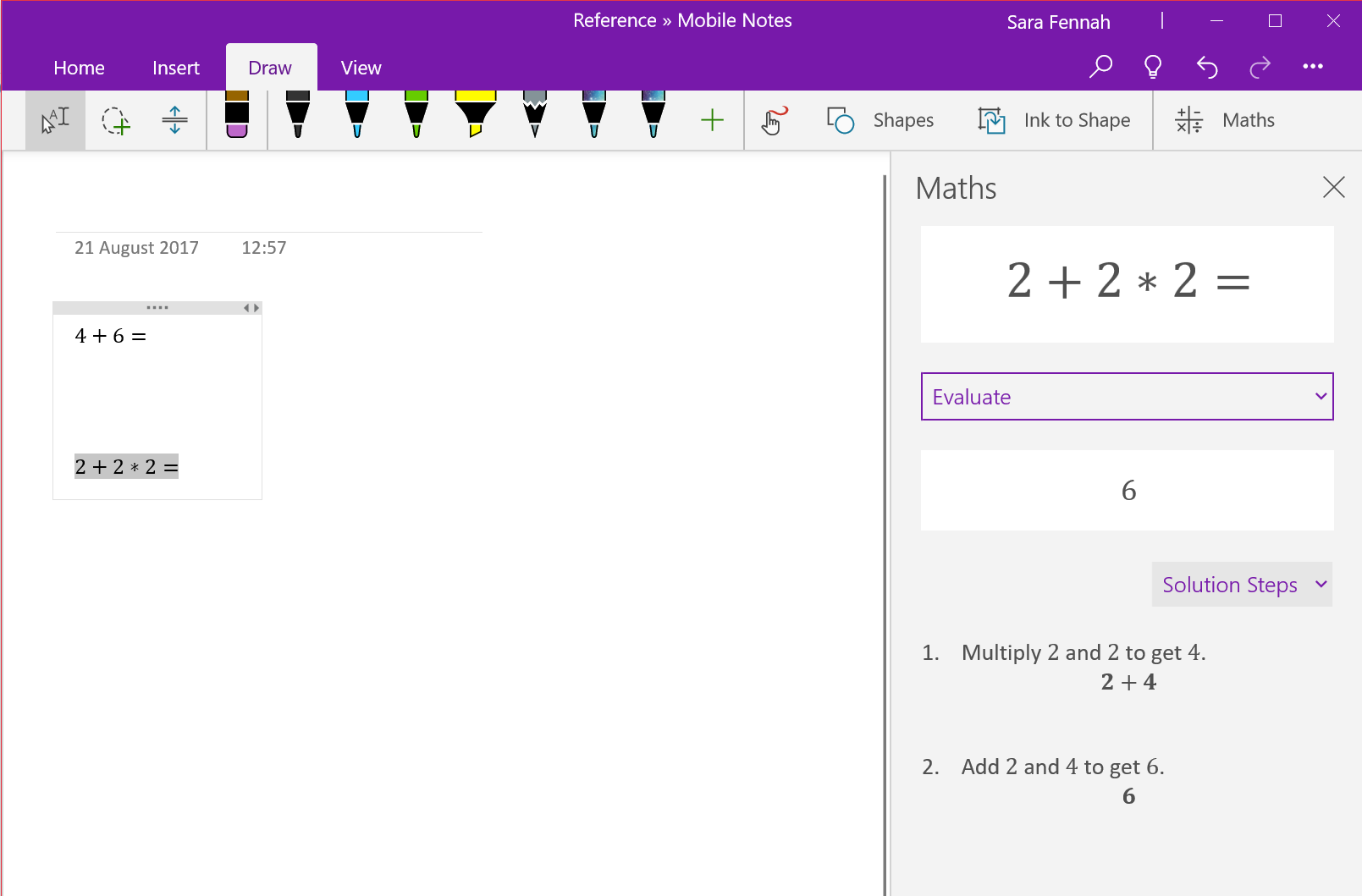
Steps:
NOTE – this currently only works in the OneNote app for Windows from the Windows store (not full desktop app)
- Create equation in your page
- On the Draw tab, use select or lasso select to highlight your equation then click Maths
- Under your equation choose Evaluate
- Under the answer click Show Steps then Solution Steps
 Sara Fennah's Blog