
A few message center updates caught my eye today. As there is too much for just a social media post, you get a blog post as well!
Each update summary has been created by Copilot based on the screen shot of the update announcement, but then adjusted & checked by me!
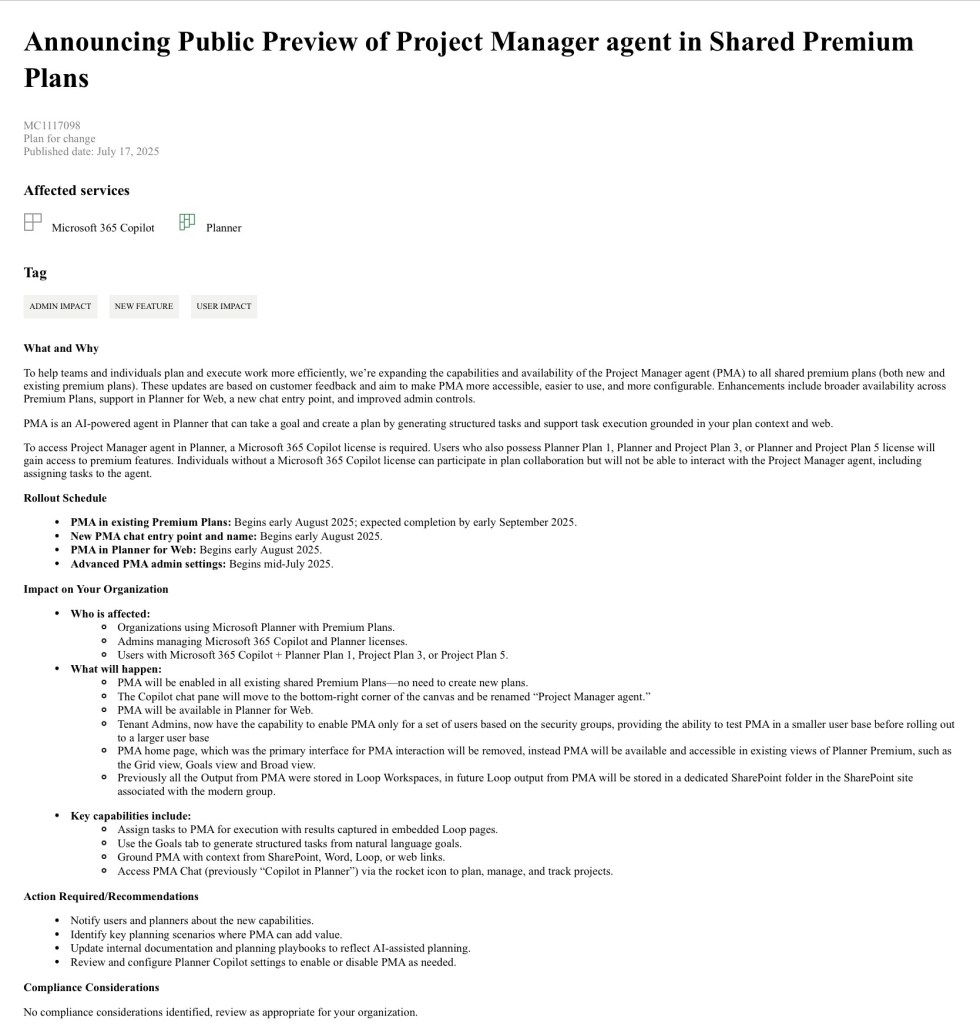
Project Manager Agent (PMA) Coming Soon in Public Preview for Shared Premium Plans
Microsoft is rolling out the Project Manager Agent (PMA) more broadly. PMA is a Copilot agent in Planner which helps generate tasks, support execution, and build plans based on your input. It’s now being made available across all shared premium plans.
Key Dates:
– Rollout starts: Early August 2025
– Expected completion: Early September 2025
– Admin settings: Begin rolling out mid-July 2025
What’s Changing:
– PMA will be enabled automatically in shared premium plans—no need to create new ones.
– The Copilot chat will move to the bottom-right corner of the Planner canvas and be renamed “Project Manager agent.”
– PMA will also be available in Planner for Web (Currently only Planner via Teams on Windows in new plans)
– Admins will have the option to enable PMA for specific users using security groups.
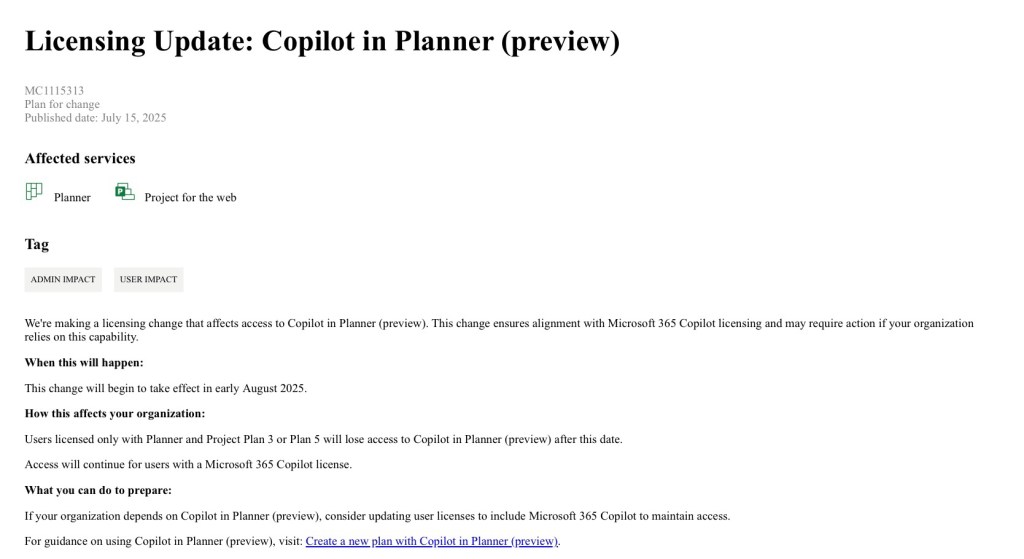
Licensing Changes for Copilot in Planner (Preview)
There’s also a licensing update that affects access to Copilot in Planner (preview).
What’s Changing:
– Starting in early August 2025, users who only have Planner or Project Plan 3/5 will lose access to Copilot in Planner.
– To continue using Copilot in Planner, users will need a Microsoft 365 Copilot license.
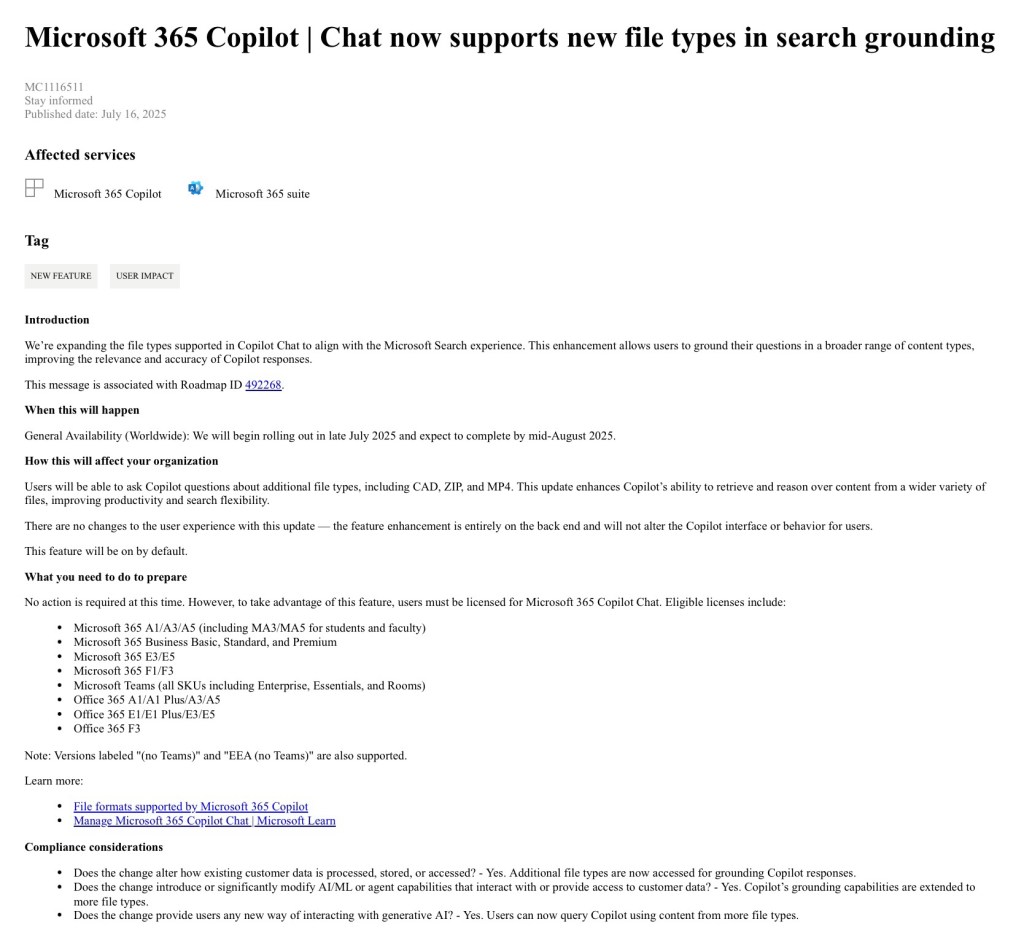
Copilot Chat Now Supports More File Types
Microsoft is expanding the range of file types that Copilot Chat can understand and respond to. This brings it more in line with the broader Microsoft Search experience and makes it easier to ask questions based on different types of content. There are no licensing changes.
What’s New:
– You can now use Copilot Chat with additional file types, including CAD files, ZIP archives, and MP4 videos.
– This means Copilot can retrieve and reason over content from these formats, just like it already does with Word, Excel, and PowerPoint files.
Rollout Timeline:
– The update begins late July 2025 and should be completed by mid-August.
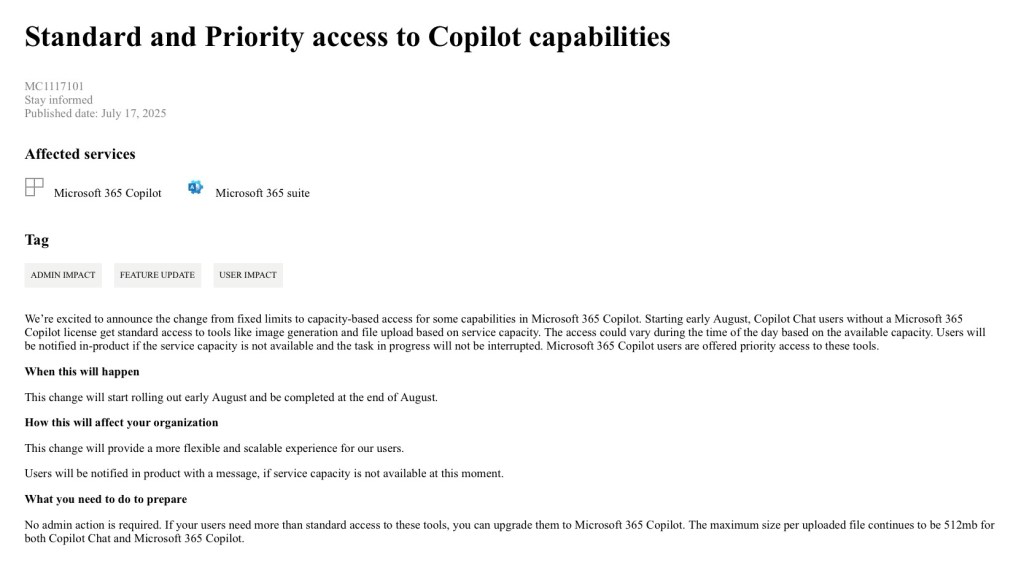
Changes to Copilot Access: Standard vs. Priority
Microsoft is also changing how access to some Copilot capabilities is managed. Instead of fixed limits, access will now be based on available service capacity.
What’s Changing:
– Users without a dedicated Copilot license will receive standard access, which may vary depending on system load.
– Users with a full Microsoft 365 Copilot license will receive priority access.
– If capacity isn’t available at a given time, users will see a notification—but any tasks already in progress won’t be interrupted.
Rollout Timeline:
– This change starts early August 2025 and will be fully rolled out by the end of August.
File Upload Limits:
– The maximum file size remains 512MB, regardless of access level.
This update is designed to make Copilot more scalable and responsive to real-time demand, while still ensuring that licensed users get the best possible experience.
 Sara Fennah's Blog