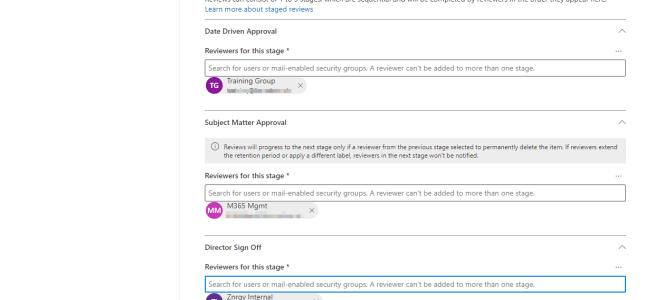
(This blog post was written as a guest post on Blog - Leadership Through Data) On 19th May 2021 Microsoft published a blog announcing Multi-stage disposition approval in Microsoft Records Management in Microsoft 365 as well as some other really nice enhancements to the Information Governance and Records Management tools. The headline feature is the … Continue reading May Records Updates for Microsoft 365
Using Find Time for Meeting Polls
Find Time is a great add-in for Outlook which you can use to arrange meetings with both colleagues and people outside your organisation. Combining the ability to see availability for colleagues with a poll for people to vote on, the Find Time add-in is designed to stop the to/fro of emails trying to find a … Continue reading Using Find Time for Meeting Polls
SC-300 Extras
SC-300 Overview & My Tips SC-300 or Microsoft Identity and Access Administrator is an associate (two star) certification from Microsoft. It is aimed at people administering access to the Microsoft Cloud; Azure, Dynamics 365 and Microsoft 365. It is worth noting that whilst the skills and knowledge are relevant to administrators for all systems, the course and exam … Continue reading SC-300 Extras
Out of Office Automatic Replies
Did you know there are many options for setting your out of office or automatic replies in #Office365 including from #MicrosoftTeams
Creating Custom Timers
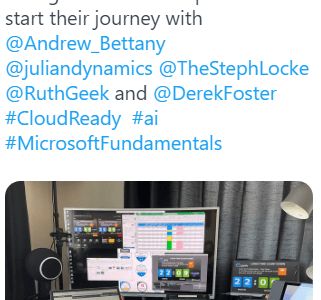
A recent tweet and LinkedIn post attracted a lot of attention, due to the lunch timer running in the background. As a result I promised a blog post on how I built is, so here it is. This is what we are aiming for, this is the timer used in the original tweet running in … Continue reading Creating Custom Timers
Meeting Transcription in Microsoft Teams
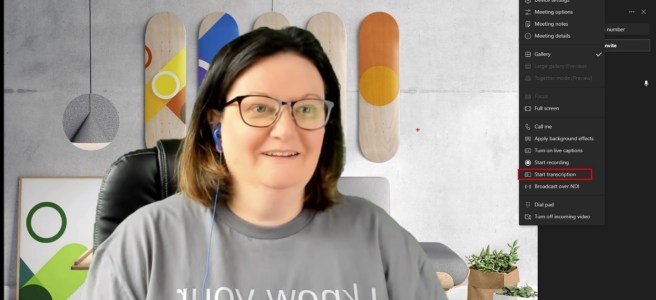
There are two ways of displaying in text format what is said during a Microsoft Teams Meeting; Live Captions and Transcript. Live captions are shown on screen (usually at the bottom of the meeting screen) and disappear as new captions are generated. Live captions are visible only to users who switch them on. Live Captions can … Continue reading Meeting Transcription in Microsoft Teams
My Favourite Virtual Background Sources
Apart from creating my own backgrounds in PowerPoint which I covered in an earlier post, these are my personal favourite sources for background images for virtual meetings. Ikea https://backgroundsbyikea.com/ Microsoft https://adoption.microsoft.com/microsoft-teams/custom-backgrounds-gallery/https://techcommunity.microsoft.com/t5/outlook-blog/online-meeting-backgrounds-outlook-exchange-amp-bookings/ba-p/1688841 https://education.microsoft.com/en-us/resource/6eb1ef79 Warner Bros https://www.warnerbros.com/news/articles/2020/07/08/virtual-backgrounds-microsoft-teams-calls
Delegated Team Meeting Creation
Lots of people don’t create the meeting invites for the meetings they run in this blog I will lay out what the issues are and then consider ways to avoid these when acting as a scheduler.
Manage Teams Meeting Options
Teams meeting options are how you can control who can do what in your meeting. In the Education sphere this control is essential but they are also very useful in many other scenarios.
Thank you MCT Community!
(acronyms listed at the end of the article) Today was the 2021 Scottish Summit, a great example of what the community can do and next week it's Microsoft Ignite where we will be celebrating certificated professionals. So it seemed a great time to put out this blog about what Microsoft Certified Trainer community means to … Continue reading Thank you MCT Community!


You must be logged in to post a comment.