
THIS BLOG POST WAS WRITTEN BY COPILOT AS PART OF AN EXPERIMENT WITH COPILOT NOTEBOOKS. It has not been modified, bar adding this disclaimer, the additional comments at the end and the images. To read about the experiment visit https://copilotqueen.com/2025/07/11/a-copilot-notebook-experiment/ If you are interested in how to export your mailbox to PST, please read the … Continue reading How to Export Your Mailbox to a PST File in the New Outlook for Windows
Category: Outlook
Choosing My Day Calendars in Outlook
Are you using the New Outlook for Windows or Outlook Web? Do you use the My Day side pane? If so, did you know that you can choose which calendars are displayed there? I was unaware till I stumbled across it today. Here's how you choose. First display the My Day pane using the My … Continue reading Choosing My Day Calendars in Outlook
Search Folders in New Outlook

The Unread Mail folder is back! Search folders are supported in the latest builds of New Outlook.
Hybrid Work Settings in Outlook

Now available in the New Outlook for Windows is the hybrid work setting. You'll notice a plus in a location pin icon on the date header to set your location with. Location Pin Icon If it's newly arrived for you, you may also see an informational message as shown below which says New hybrid work … Continue reading Hybrid Work Settings in Outlook
Add to Calendar

In this article, I'll look at using the new Outlook for Windows client (in preview May 2023) use the My Day pane to turn an email into a calendar entry.
Getting Started with Personal Bookings
Personal bookings for Microsoft Outlook can be used to allow people to make bookings in your diary. This builds on the functionality of Microsoft Bookings but instead of being controlled by an administrator, personal bookings are managed by the individual user and relate to just their calendar. As with the company Booking functionality, personal bookings … Continue reading Getting Started with Personal Bookings
Scheduler for Microsoft 365
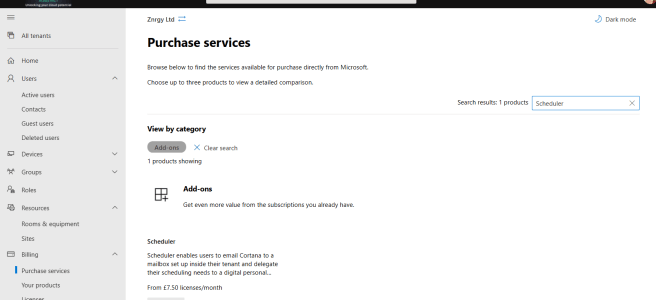
Scheduler is an intelligent meeting scheduling service which sits on top of Office 365 and uses AI to help find suitable meeting times. The process is quite similar to what we as humans do when we try to agree a time to meet and can be summarised as: Agree that a meeting is neededSuggest a … Continue reading Scheduler for Microsoft 365
Using Find Time for Meeting Polls

Find Time is a great add-in for Outlook which you can use to arrange meetings with both colleagues and people outside your organisation. Combining the ability to see availability for colleagues with a poll for people to vote on, the Find Time add-in is designed to stop the to/fro of emails trying to find a … Continue reading Using Find Time for Meeting Polls
Out of Office Automatic Replies
Did you know there are many options for setting your out of office or automatic replies in #Office365 including from #MicrosoftTeams
Using the Learn Community in the Tech Community
The new Microsoft Learning community in the Tech Community is live along with the new blog. The tech community is quite simple to navigate but I wanted to take this opportunity to share a few tips. Thanks to my fellow MCTs for their help with these too, especially Julian Sharpe, Denise McLaughlin and Rolf McLaughlin. … Continue reading Using the Learn Community in the Tech Community
 Sara Fennah's Blog
You must be logged in to post a comment.