
I’ve now got a separate blog just for the Teams posts, which separates the articles into End User, Super User and Admin topics. Have a look here http://teamsqueen.com
- May 2nd 2023 – A Huge Leap for SharePointAt the M365 Conference in Las Vegas on May 2nd 2023 Microsoft announced a raft of updates, most around SharePoint. There were many tweets about the updates including this one from @LeonArmston summarising the blog posts about the announcements. All new features appear on the Microsoft 365 Roadmap and here are those announcements starting to … Continue reading May 2nd 2023 – A Huge Leap for SharePoint
- Administrative Units for Microsoft 365 Services
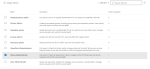 “If I had a penny, for every time someone asked me for this, I would be a very rich person” Many cultures have similar sayings, but when it comes to being able to assign a Microsoft 365 admin role based on organisational units, it is certainly true for me. Indeed one customer asked me this … Continue reading Administrative Units for Microsoft 365 Services
 - Did you miss all those announcements and blogs at Ignite November 2021?The announcement firehose at the start of an event means can be overwhelming to find the details. Here are my favorite information sources for #MSIgnite
- Retention for Microsoft Teams
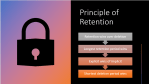 This post was originally posted https://www.leadershipthroughdata.co.uk/latest-news/retention-for-microsoft-teams-messaging/ In May 2021 Microsoft published a blog announcing Multi-stage disposition approval in Microsoft Records Management in Microsoft 365 as well as some other really nice enhancements to the Information Governance and Records Management tools. This is the second blog post in a series looking at the new features. Post … Continue reading Retention for Microsoft Teams
 - SharePoint Alerts, Notifications and News Digests
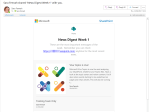 A few ways of finding out what is happening in your SharePoint sites using alerts notifications and news digests
 - Scheduler for Microsoft 365
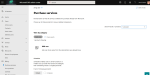 Scheduler is an intelligent meeting scheduling service which sits on top of Office 365 and uses AI to help find suitable meeting times. The process is quite similar to what we as humans do when we try to agree a time to meet and can be summarised as: Agree that a meeting is needed Suggest … Continue reading Scheduler for Microsoft 365
 - MS-700 – Microsoft Teams Administrator AssociateLast Updated 5th May 2022 MS-700 Overview & My Tips MS-700 or Microsoft Teams Administrator Associate is the certification for Teams Administrators. As a Teams Administrator you do need to have a good grounding in all things Microsoft 365 as Teams is the tool that pulls it all together and exposes any weaknesses in your … Continue reading MS-700 – Microsoft Teams Administrator Associate
- May Records Updates for Microsoft 365
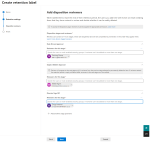 (This blog post was written as a guest post on Blog – Leadership Through Data) On 19th May 2021 Microsoft published a blog announcing Multi-stage disposition approval in Microsoft Records Management in Microsoft 365 as well as some other really nice enhancements to the Information Governance and Records Management tools. The headline feature is the … Continue reading May Records Updates for Microsoft 365
 - Out of Office Automatic Replies
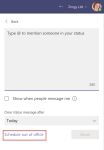 Did you know there are many options for setting your out of office or automatic replies in #Office365 including from #MicrosoftTeams
 - Creating Custom Timers
 A recent tweet and LinkedIn post attracted a lot of attention, due to the lunch timer running in the background. As a result I promised a blog post on how I built is, so here it is. This is what we are aiming for, this is the timer used in the original tweet running in … Continue reading Creating Custom Timers
 - Meeting Transcription in Microsoft Teams
 There are two ways of displaying in text format what is said during a Microsoft Teams Meeting; Live Captions and Transcript. Live captions are shown on screen (usually at the bottom of the meeting screen) and disappear as new captions are generated. Live captions are visible only to users who switch them on. Live Captions can … Continue reading Meeting Transcription in Microsoft Teams
 - My Favourite Virtual Background SourcesApart from creating my own backgrounds in PowerPoint which I covered in an earlier post, these are my personal favourite sources for background images for virtual meetings. Ikea https://backgroundsbyikea.com/ Microsoft https://adoption.microsoft.com/microsoft-teams/custom-backgrounds-gallery/ https://techcommunity.microsoft.com/t5/outlook-blog/online-meeting-backgrounds-outlook-exchange-amp-bookings/ba-p/1688841 https://education.microsoft.com/en-us/resource/6eb1ef79 Warner Bros https://www.warnerbros.com/news/articles/2020/07/08/virtual-backgrounds-microsoft-teams-calls
- Delegated Team Meeting Creation
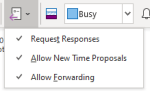 Lots of people don’t create the meeting invites for the meetings they run in this blog I will lay out what the issues are and then consider ways to avoid these when acting as a scheduler.
 - Manage Teams Meeting Options
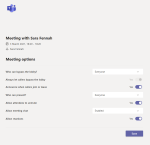 Teams meeting options are how you can control who can do what in your meeting. In the Education sphere this control is essential but they are also very useful in many other scenarios.
 - Microsoft Teams Break Out Rooms – Some Early ObservationsWith the launch of breakout rooms for adhoc and scheduled Team meetings, many people are celebrating and it is a much requested feature, but how does it work. Microsoft have released a couple of great articles so I’m not going to reinvent the wheel and write a full guide myself, but I would like to share my early observations.
- Where is my meeting recording?With Teams meeting recordings moving to OneDrive and SharePoint from Stream users and admins need to understand what this change means. It’s not just the location a recording is stored that is changing but also who can records and the sharing options once the recording is done.
- Check your Camera before a Teams Meeting
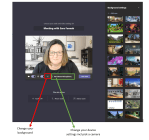 Did you want to check your camera and background before a Teams meeting and ended up trying to join a meeting early to do so, or worse joining a meeting late as you needed to adjust your settings and it took too long, or worst still what about joining a meeting and bringing up a … Continue reading Check your Camera before a Teams Meeting
 - Solving Problems with Meeting Options in TeamsDo you ever get a message telling you you can’t change the meeting options for a meeting you set up? It’s probably due to what you were doing the last time you used the Teams web app (aka Teams in your web browser). These messages changed a little while ago to show you who is … Continue reading Solving Problems with Meeting Options in Teams
- Thoughts on Click & Collect for small business
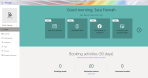 So this blog is a bit of a departure for me and results from (virtual) conversations with friends and family. As I write on Nov 1st 2020, England is about to go into a new lockdown (whatever, it’s officially called) and “non-essential” shops are required to close but can still offer click & collect services. … Continue reading Thoughts on Click & Collect for small business
 - Make Fun of Virtual Meeting FatigueAre you sick of virtual meetings and training courses yet? To be honest, I’m not. However I have been looking for ways to ring some changes. It does get dull, always hearing (and saying) the same old phrases, so I’ve made myself some flashcards. And I gift them to you here – enjoy!
- Create your own Teams backdrop using PowerPoint
 Create your own Microsoft Teams backdrop using PowerPoint
 - Ignite 2020 – How to Plan Which Sessions to JoinWith Ignite 2020 being a virtual event there is even more opportunity for everyone to benefit from attending. But how to you work out what to attend – that session catalogue is vast. After registering, you can add sessions to your personal schedule and your backpack. Your schedule shows only your chosen sessions and your … Continue reading Ignite 2020 – How to Plan Which Sessions to Join
- External & Guest Communication in MS TeamsUsing Microsoft Teams with internal and external people, it can be a challenge to determine which features we can use with whom.
- Microsoft Lists are coming, but what about my SharePoint Lists?As exciting as the announcement of Microsoft Lists at Build 2020 was, it did leave me wondering what the future of the humble but useful SharePoint list was. Today I finally got around to reading this blog post from 19th May 20. Two sections stood out to me: Millions of SharePoint users have benefitted from … Continue reading Microsoft Lists are coming, but what about my SharePoint Lists?
- Farewell Teamwork Administration QualificationMicrosoft are retiring Teamwork Administrator certificate (exams MS-300 & MS-301). The announcement points people to the Teams Administrator (exam MS-700) instead. Having done both the Teams and Teamwork qualifications and with most of my training delivery focused on SharePoint and Teams, this concerns me concerns me on a number of levels.
- Virtual Training – Elgato Stream Deck Mobile
 Trainer/Teachers, do you need a scene switcher? Consider the mobile app version of Stream Deck. Here’s how I set it up for testing.
 - Star Wars Day – Record a Meeting in Microsoft TeamsA star wars themed video demo about meeting recordings in Microsoft Teams
- Green Screen, Teams and OBS Studio
 How I got up and running using a green screen, OBS Studio and Microsoft Teams to give a more professional video in training sessions. #mctbuzz #MicrosoftTeams #OBSStudio
 - Training Feedback Personalised with Forms and Power Automate
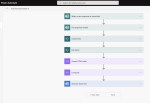 Using Forms with SharePoint and Power Automate to send a custom response to training course feedback, including reference links.
 - Using Flic and Hue to build a Do Not Disturb light
 There are some great articles out there on building your own automated “Do not Disturb” lights and also some great products, but I decided that I needed one that was a little more manual, but still a bit geeky.
 - Channel NotificationsAre you a member of a Team across more than 1 organisation/M365 Tenant? I use Channel Notifications to help me keep on top of the less well used teams.
- Screen Sharing from Teams on a Mobile phone
 Working from home for a lot of people will bring added flexibility. For many remote working also allows us to shift the times of day we get the majority of our work done. However, it is vital to remain available during normal business hours and here the Teams mobile app can help.
 - Using OneDrive Without Sync
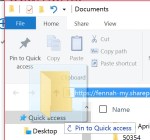 OneDrive and OneDrive for Business are similar in name and in that they synchronise files to your PC from cloud storage, but they are very different. OneDrive is available free to individuals and is also part of Office 365 Home Premium along with additional storage. OneDrive is for people to sync their personal files across … Continue reading Using OneDrive Without Sync
 - Useful Links for Office 365 AdministratorsNot so much a blog this one, but just a few links that I share on Office 365 Admin training courses. I’ll add to this as I find more. Automatic SharePoint Online Site Collection Storage Quotas http://blogs.office.com/2014/08/18/sharepoint-online-simplifies-storage-management/ Office 365 Development Roadmap http://office.microsoft.com/en-gb/products/office-365-roadmap-FX104343353.aspx What is One Drive for Business https://support.office.com/en-US/Article/What-is-OneDrive-for-Business–187f90af-056f-47c0-9656-cc0ddca7fdc2?ui=en-US&rs=en-US&ad=US Office Blogs http://blogs.office.com/ Office Visio Stencil’s: http://www.microsoft.com/en-gb/download/details.aspx?id=35772 … Continue reading Useful Links for Office 365 Administrators
- Addicted to DevicesOk, I admit it – I love gadgets and if only I didn’t have the restraints of Hubby and finances, I’d be even more of an addict! However as the tech world in general seems to be falling out of love with the Apple devices that were the hottest thing not that long ago and … Continue reading Addicted to Devices
- Big business IT at small business pricingUntil now it’s only been a dream for smaller businesses to have the same type of IT services as big business without the need for that big IT department and the big bills. With the advent of cloud computing this is no longer just a dream. Any business even a “one-man band” can have enterprise … Continue reading Big business IT at small business pricing
- New Office 365 CoursesAs a Microsoft certified training provider and Office 365 reseller, we are today launching a new range of courses for both PC and Mac users working with Office 365. We’ll shortly be publishing our course outlines for Office 2011 courses, as well. Office 365 Courses We have courses for end users and also for administrators … Continue reading New Office 365 Courses
Get new content delivered directly to your inbox.
 Sara Fennah's Blog
You must be logged in to post a comment.