
The document Theme includes colours, fonts and effects for graphical objects within the drawing. When the Theme of a document is changed the entire document is reformatted to match the new chosen Theme.
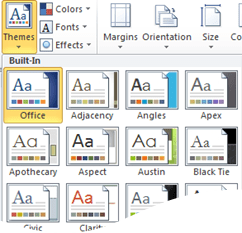
To apply a Theme:
- Select Page Layout Tab
- Click the Theme button
- Hover over the Theme to preview the impact on your document
- Click your chosen Theme to apply
 Sara Fennah's Blog