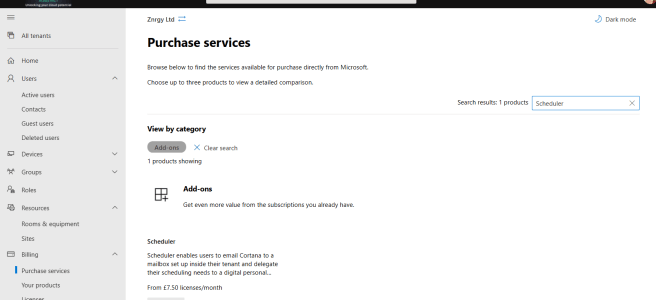
Scheduler for Microsoft 365

Scheduler is an intelligent meeting scheduling service which sits on top of Office 365 and uses AI to help find suitable meeting times.  The process is quite similar to what we as humans do when we try to agree a time to meet and can be summarised as: Agree that a meeting is neededSuggest a … Continue reading Scheduler for Microsoft 365

Using Find Time for Meeting Polls

Find Time is a great add-in for Outlook which you can use to arrange meetings with both colleagues and people outside your organisation.  Combining the ability to see availability for colleagues with a poll for people to vote on, the Find Time add-in is designed to stop the to/fro of emails trying to find a … Continue reading Using Find Time for Meeting Polls

Out of Office Automatic Replies

Did you know there are many options for setting your out of office or automatic replies in #Office365 including from #MicrosoftTeams

Creating Custom Timers

A recent tweet and LinkedIn post attracted a lot of attention,  due to the lunch timer running in the background. As a result I promised a blog post on how I built is, so here it is. This is what we are aiming for, this is the timer used in the original tweet running in … Continue reading Creating Custom Timers

Create your own Teams backdrop using PowerPoint

Create your own Microsoft Teams backdrop using PowerPoint

Using the Learn Community in the Tech Community

The new Microsoft Learning community in the Tech Community is live along with the new blog. The tech community is quite simple to navigate but I wanted to take this opportunity to share a few tips. Thanks to my fellow MCTs for their help with these too, especially Julian Sharpe, Denise McLaughlin and Rolf McLaughlin. … Continue reading Using the Learn Community in the Tech Community

Using OneNote to learn Maths

  Steps: NOTE - this currently only works in the OneNote app for Windows from the Windows store (not full desktop app) Create equation in your page On the Draw tab, use select or lasso select to highlight your equation then click Maths Under your equation choose Evaluate Under the answer click Show Steps then … Continue reading Using OneNote to learn Maths

Office 2016 Preview – Compare the Ribbon

I've been running Office 2016 for about a week now in my Windows 10 preview and loving them both.  I'd be perfectly happy having these running on my main machine, but have learnt the hard way the previews are best kept to virtual machines. (In case you are wondering about the technical set up I'm … Continue reading Office 2016 Preview – Compare the Ribbon

Devices everywhere

With the best introduction of Word, Excel and PowerPoint for Android and upgrade of Outlook for Mac recently, I thought I'd revisit my multi device world and give you an update. With Office365 spreading wider I'm finding more and more clients want multi platform training and, well to be honest, I like playing with gadgets. … Continue reading Devices everywhere

Word for iPad – Getting Started

Microsoft Word for iPad does not have all the features of the Windows desktop version, but it does have sufficient tools available for the majority of documents produced.  Install & Set up Word for iPad Microsoft Word should be downloaded from the App Store and will automatically be installed. Once installed open the app to … Continue reading Word for iPad – Getting Started